# Key Management
## Overview
The Othentic Stack supports multiple key management strategies for Operator authentication and signing:
* **Raw Private Keys:** 32-byte hex-encoded values
* **Keystore Files:** Password-encrypted JSON (Web3 standard)
* **Hardware Wallets:** Via browser extensions like [Metamask](https://metamask.io/) or [Rabby](https://rabby.io/)
* [**Operator Smart Account**](https://docs.othentic.xyz/main/user-guide/operator-management/use-smart-account)
AVSs are networks that rely on continuous off-chain execution logic, with tasks ultimately settled on-chain. This requires automated signing, where operators submit transactions onchain while also signing messages while engaging in offchain peer-to-peer consensus.
#### Security Consideration:
Using the same key for both onchain and offchain operations introduces a **security vulnerability**, as the offchain key must be stored on the task-performing machine in a potentially insecure format—either as raw text or within an encrypted Keystore file.
To mitigate this, the Othentic Stack supports key separation:
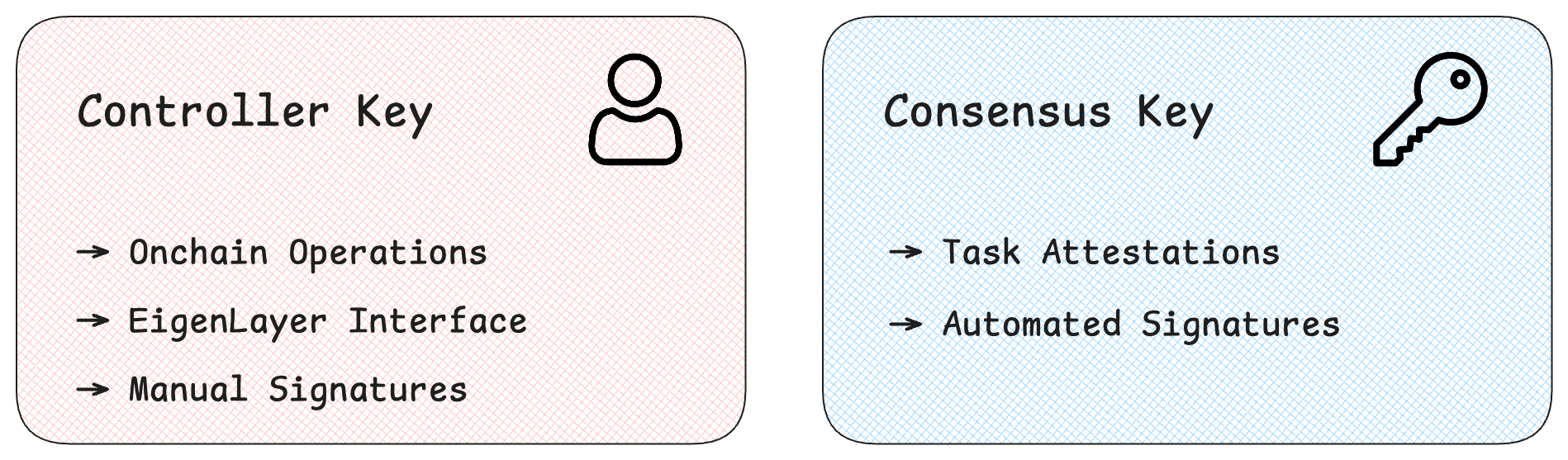
* **Controller Key:** For on-chain transactions
* Has access to onchain assets.
* **Consensus Key:** For off-chain messaging and peer coordination
* Does not have access to onchain assets.
{% hint style="warning" %}
For test environments, using a single key is acceptable. \
**In production, key separation is strongly recommended.**
{% endhint %}
## Key Roles
When [registering as an Operator](https://docs.othentic.xyz/main/user-guide/operator-management/register-to-avs), users are required to provide both keys separately.
Although raw keys can be used for both the **Controller** and **Consensus** keys, it is **strongly recommended** to use encrypted Keystore files for enhanced security.
### Controller Key
The Controller Key is used as an ECDSA key for the following purposes:
* Register as Operator in EigenLayer contracts.
* Interact with the AVS as Operator:
* Register as Operator in AVSGovernance contract.
* Submit proof-of-tasks to AttestationCenter contract.
* Request rewards from AttestationCenter contract.
* Submit task aggregation result to AttestationCenter contract.
### Consensus Key
The Consensus Key is used exclusively as a [BLS key](https://eth2book.info/capella/part2/building_blocks/signatures/) for attesting task validity or invalidity in the P2P networking layer.
* It can be set during Operator registration or updated later — see the [Update Controller Key guide](https://docs.othentic.xyz/main/reference/othentic-cli/othentic-cli-operator/bls/update) for instructions.
## Recommended Approach
### Testnet Environment
[Generate a single keystore file](https://docs.othentic.xyz/main/user-guide/operator-management/generate-keys) and use it for all operator actions.
### Production Environment
Generate two separate keystore files, one to serve as **Controller** and the other as **Consensus** key.
* The Controller key should be kept on a highly-secure, preferably airgapped machine.
* The Consensus key should be kept on the machine where the operator node is running. It is OK to keep backups of the key in secure locations.
---
# Agent Instructions: Querying This Documentation
If you need additional information that is not directly available in this page, you can query the documentation dynamically by asking a question.
Perform an HTTP GET request on the current page URL with the `ask` query parameter:
```
GET https://docs.othentic.xyz/main/learn/advanced-concepts/key-management.md?ask=
```
The question should be specific, self-contained, and written in natural language.
The response will contain a direct answer to the question and relevant excerpts and sources from the documentation.
Use this mechanism when the answer is not explicitly present in the current page, you need clarification or additional context, or you want to retrieve related documentation sections.